




- Goals, rules and rewards
- Invent a paper board game
- Meet Scratch: sprites and stages
- Make your hero walk and jump
- Play, think, improve
4-Month Game Design Program
Game Design
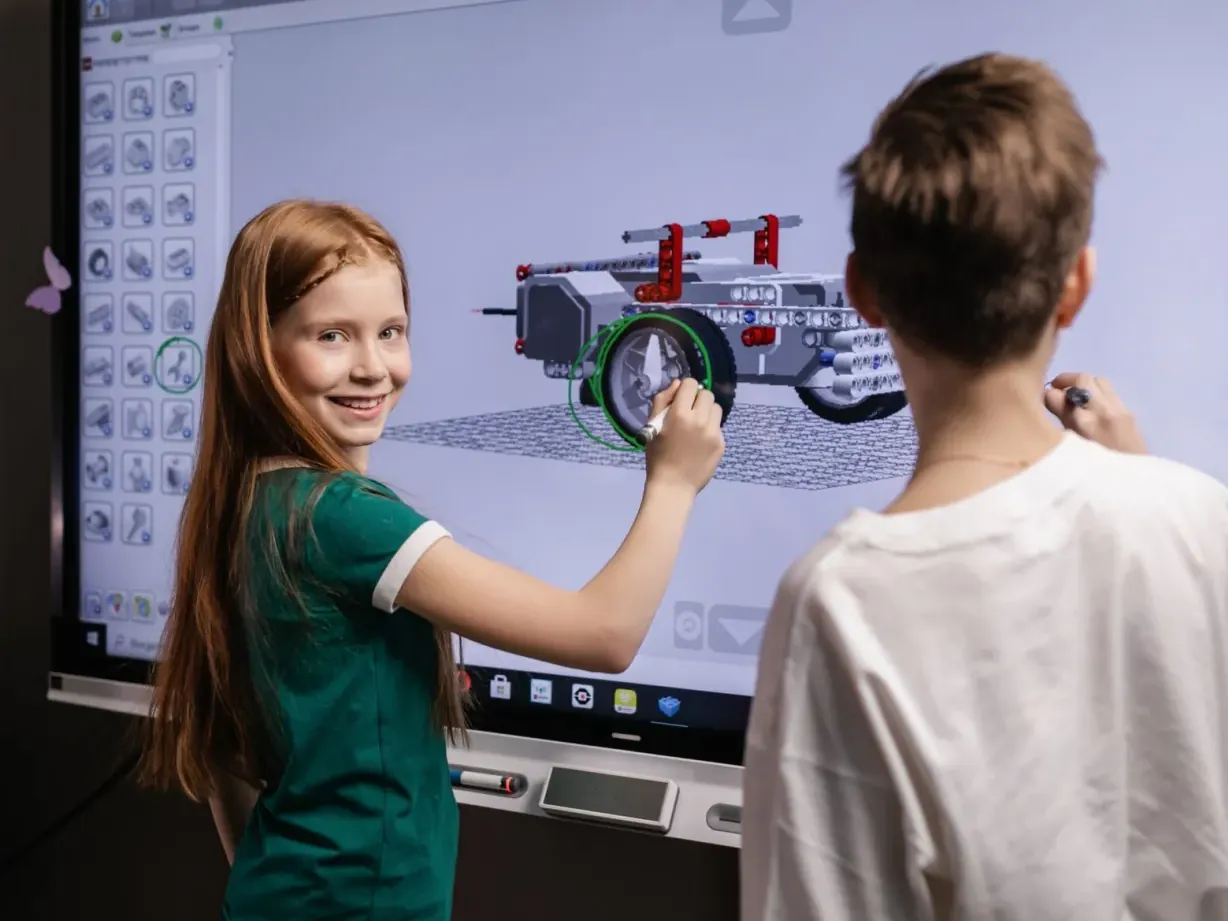
Kids invent heroes, design levels and code their own games — from Scratch adventures to retro arcade games and 3D worlds in Roblox Studio.
Ages 7–143 age-based levels
4 Months16 weeks
Live classes2 live classes / week · 60–90 min
CertificateDemo Day + certificate
One program fee of $999 covers the full 4-month live program — classes, projects, Demo Day and certificate.
4.8 parent rating
1,580+ kids enrolled
Max 6 kids per class
About the program
What makes it special
Kids already love playing games — here they learn to make them. Your child becomes the designer, the artist, the storyteller and the coder: inventing characters, drawing worlds, writing the rules and building games their friends and family can play.
Game Starters (7–8) turn their ideas into story adventures and catch-and-collect games in Scratch. Arcade Creators (9–11) draw pixel art and build retro arcade games with levels, enemies and bosses in MakeCode Arcade. World Builders (12–14) design 3D worlds in Roblox Studio and script them with Lua. Along the way kids learn what makes a game fun, fair and worth playing again.
This is a building class, not a playing class: kids design, code, test and present their own games, and the only gaming is playtesting their own and classmates’ work. Small live groups (max 6) and a Demo Day with a certificate at the end of every level.
Hands-on & project-based
Kids build something real in every single class.
Tiny classes
Max 6 kids per class so every child gets attention.
Clear pathway
Beginner → intermediate → advanced, one level at a time.
What your child will learn
- Design games with clear goals, rules and rewards
- Invent characters and tell stories through games
- Create pixel art, levels and 3D worlds
- Code gameplay with Scratch blocks, MakeCode Arcade and Lua
- Build scores, lives, levels, enemies and shops
- Playtest, balance and polish a game
- Present a finished game confidently at Demo Day
Perfect for
- Kids aged 7–14 who love playing games
- Storytellers and artists who want to build their own worlds
- Young creators ready to move from playing to making
What you need
- No experience needed — every level starts from the basics
- A laptop or desktop with a mouse (tablets are not enough for Roblox Studio)
- Ages 12–14: a free, parent-approved Roblox account
- Imagination and a favorite game to talk about!
16-week curriculum
Three levels. One big adventure.
Your child joins the level that matches their age. Each level runs for 4 months and ends with a capstone, Demo Day and a certificate — then they can level up.
- Design your hero and sidekick
- Paint backgrounds and scenes
- Story map: beginning, middle and end
- Talking characters with speech bubbles
- Cut-scenes with broadcast messages
- Arrow-key controls
- Walls and collisions
- Score counters and timers
- Enemies that chase you
- You-win and game-over screens
- Plan your game on paper
- Build the levels
- Playtest with a classmate
- Polish with sounds and music
- Final Project: Story adventure game
- Demo Day & certificate
Final project
Story adventure game in Scratch
Maze Escape AdventureCatch-the-Treasure Game
- Tour of MakeCode Arcade
- Sprites and player controls
- Pixel art in the sprite editor
- Animating your hero
- Collectibles and score
- Tile maps and level layout
- Gravity and platform jumping
- A camera that follows the player
- Level design that teaches the player
- Hidden areas and surprises
- Enemy movement patterns
- Lives and health bars
- Power-ups and bonuses
- Sound effects and music
- Boss battles and difficulty curves
- Game design document
- Building the game
- Playtesting with friends
- Polish and fix
- Final Project: Retro arcade game
- Demo Day & certificate
Final project
Retro arcade game
Pixel PlatformerSpace Invaders Remix
- Roblox Studio tour
- Parts, models and terrain
- Lighting and atmosphere
- Spawn points and checkpoints
- Safe and kind online creating
- Variables and functions in Lua
- Events and touch triggers
- Moving platforms and lava bricks
- Leaderboards and stats
- Debugging scripts
- Coins, shops and upgrades
- Quest-giver characters and dialogue
- Game menus and on-screen info (GUI)
- Sounds and visual effects
- Balancing: fair, fun and challenging
- Game design document
- Building the world
- Scripting the game systems
- Playtesting and debugging
- Final Capstone Project
- Game Demo Day
- Certificate
Final project
Playable 3D world
Obby AdventureMini Tycoon GameStory Quest World

Inside every class
Built for how kids actually learn
Live, expert teachers
Background-checked instructors trained to teach kids.
Learn by building
Every lesson ends with something your child made.
Parent updates
Progress reports and project showcases after every month.
Certificate & Demo Day
Kids present their capstone and earn a certificate.
Tools & kits your child will use
Scratch 3.0
MakeCode Arcade
Scratch 3.0
MakeCode Arcade
Scratch 3.0
MakeCode Arcade
Scratch 3.0
MakeCode Arcade
Scratch 3.0
MakeCode Arcade
Sprite editor & pixel art
Roblox Studio
Sprite editor & pixel art
Roblox Studio
Sprite editor & pixel art
Roblox Studio
Sprite editor & pixel art
Roblox Studio
Sprite editor & pixel art
Roblox Studio
Lua
Lua
Lua
Lua
Lua
Lua
Lua
Lua
Lua
Capstone projects
Things your child will build
Every level ends with a capstone your child plans, builds and presents at Demo Day.

Every level ends with Demo Day
Maze Escape Adventure
Game Starter · Ages 7–8
A story game where your hero escapes a maze, dodges guards and finds the exit.
Catch-the-Treasure Game
Game Starter · Ages 7–8
A collect-and-score game with a timer, bonus points and a winning screen.
Pixel Platformer
Arcade Creator · Ages 9–11
A jump-and-run game with hand-drawn pixel heroes and several levels.
Space Invaders Remix
Arcade Creator · Ages 9–11
A retro space shooter with your own twist, power-ups and a boss battle.
Obby Adventure
World Builder · Ages 12–14
A 3D obstacle course with checkpoints, moving platforms and secret paths.
Mini Tycoon Game
World Builder · Ages 12–14
A 3D game where players earn coins, unlock upgrades and grow a business.
Story Quest World
World Builder · Ages 12–14
A 3D world with characters who give quests and tell your story.
Certificate & Demo Day
A certificate they'll frame
Every level ends on stage: your child presents their capstone at Demo Day and receives the Certificate in Game Design – 4 Month Program with their level clearly named.
- Game StarterAges 7–8
- Arcade CreatorAges 9–11
- World BuilderAges 12–14
American Prime Academy
Certificate in Game Design – 4 Month Program
This certifies that
Your Superstar
has completed the level
Arcade Creator — Ages 9–11
Lead teacher
Demo Day

Simple, honest pricing
One price. Everything included.
The full 4-month live program is $999 per child, in US dollars — every live class, project, Demo Day and certificate is included.
school
Enrollment open
Game Design
Enroll Now
Program fee — small-group live classes
$999
per child
for the 4-month program
≈ $31 per live class · 32 live classes over 16 weeks
Enroll Now — $999
Secure checkout by Stripe · card & pay-later options
 4-month live program
What’s included
- 4 months of live classes · 32 sessions
- 3 age-based levels — we place your child
- Max 6 kids per live class
- A hands-on project every month
- Certificate of completion
- Demo Day showcase for family
2-week happiness promiseFull refund if it isn’t the right fit.
Sibling discountSiblings save 15% on every program.
Secure Stripe checkoutEncrypted card & pay-later options.





 Powered by

Questions first? Talk to our team
Parent reviews
Families love it
“Aiden used to spend weekends on video games. Now he spends them building robots and explaining sensors to his grandpa. The Demo Day was the proudest moment of our year.”
“The teachers are magical with young kids. Anaya finished her first animated story in week three and has not stopped creating since.”
“Ethan built a weather app that pulls live data. The jump from Scratch to real Python was perfectly paced — challenging but never overwhelming.”
“Mia went from dreading math to asking for extra puzzles. Her school teacher noticed the difference in just two months.”
“Zara trained her own plant-disease detector. The responsible-AI lessons were a big plus for us as parents.”
“Noah published his own Roblox obby and his friends play it every day. He finally understands that games are made, not just played.”
Questions
Parents often ask…
Can’t find your answer? Our parent success team replies within a few hours.

No — this is a building class. Kids design, code, test and present games; playing is limited to playtesting their own and classmates’ work.
World Builders (12–14) work inside Roblox Studio, the creation tool, with parent-approved accounts, and we teach online-safety habits from day one. Younger levels use Scratch and MakeCode Arcade, which need no game accounts.
Yes. Kids keep every game they make, and families can share them privately with friends and relatives.
Small-group live classes have a maximum of 6 students, so every child gets individual attention.
Every class is recorded for your family, and we offer free make-up sessions so no one falls behind.
Click Enroll Now and pay the program fee — $999 for the full 4-month live program, covering every class, project, Demo Day and certificate. After you enroll, our team confirms the right level and class time with you.
Max 6 kids per live class
Ready to start Game Design?
Enroll today — we’ll match your child to the right level and a class time that suits your family. One program fee of $999 covers the full 4 months.

Keep exploring
More adventures to try

Robotics Program (New)
Build, design and program real robots.
L1 · 8–9
L2 · 10–11
L3 · 12–14
Ages 8–14
4 Months · Live classes · Certificate
Program fee $999
Enroll Now in Robotics Program — $999
Coding & Python
Build real-world projects and solve problems.
L1 · 7–8
L2 · 9–11
L3 · 12–14
Ages 7–14
4 Months · Live classes · Certificate
Program fee $999
Enroll Now in Coding & Python — $999
AI & Machine Learning
Understand AI, train models and build the future.
L1 · 9–10
L2 · 11–12
L3 · 13–14
Ages 9–14
4 Months · Live classes · Certificate
Program fee $999
Enroll Now in AI & Machine Learning — $999Game Design
4-month program